This fixed video supplies the dance and stage structure. Your uploaded image supplies the central lead appearance.
History
Video history
Loading history…
An original handmade character takes the stage
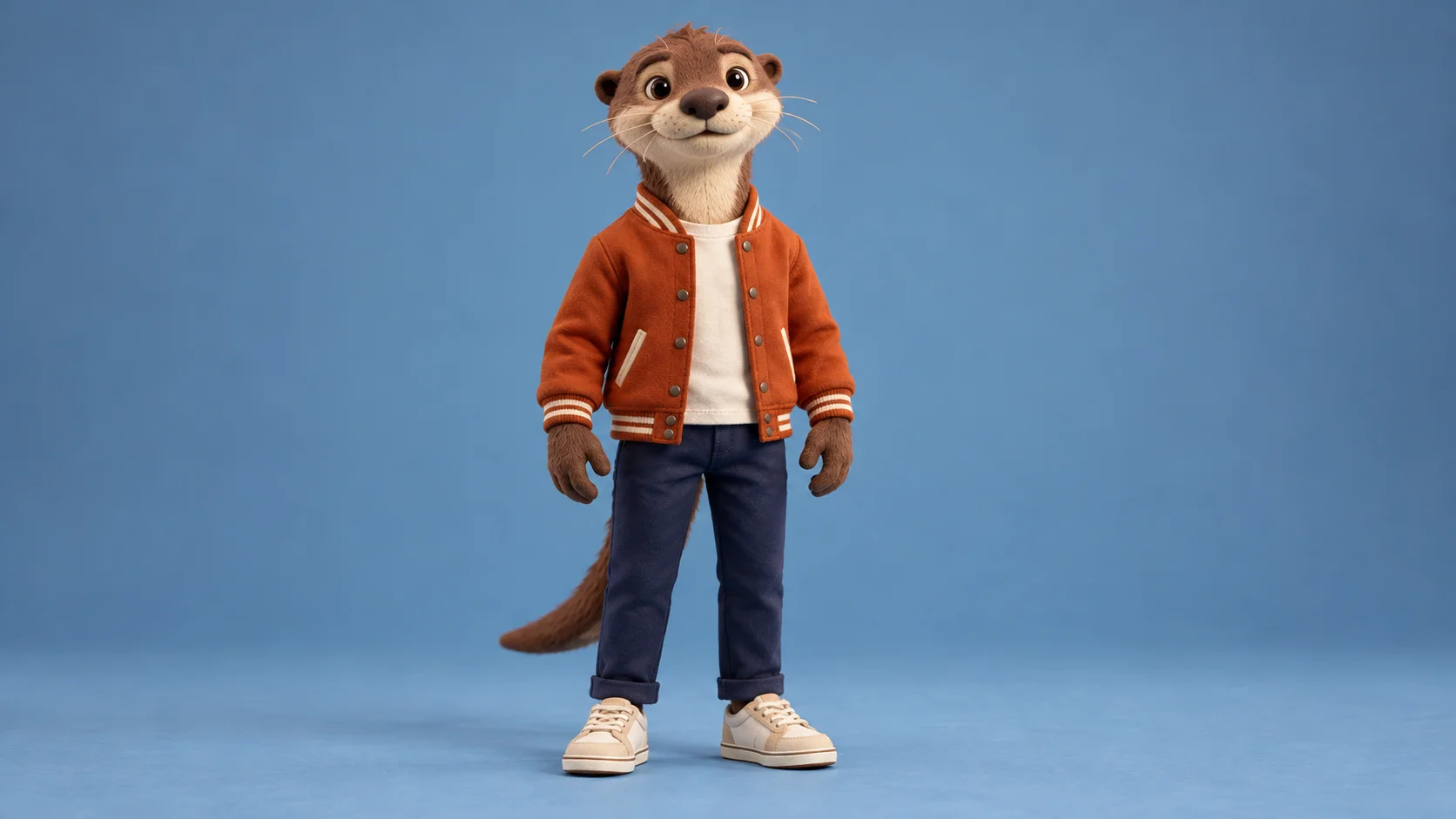
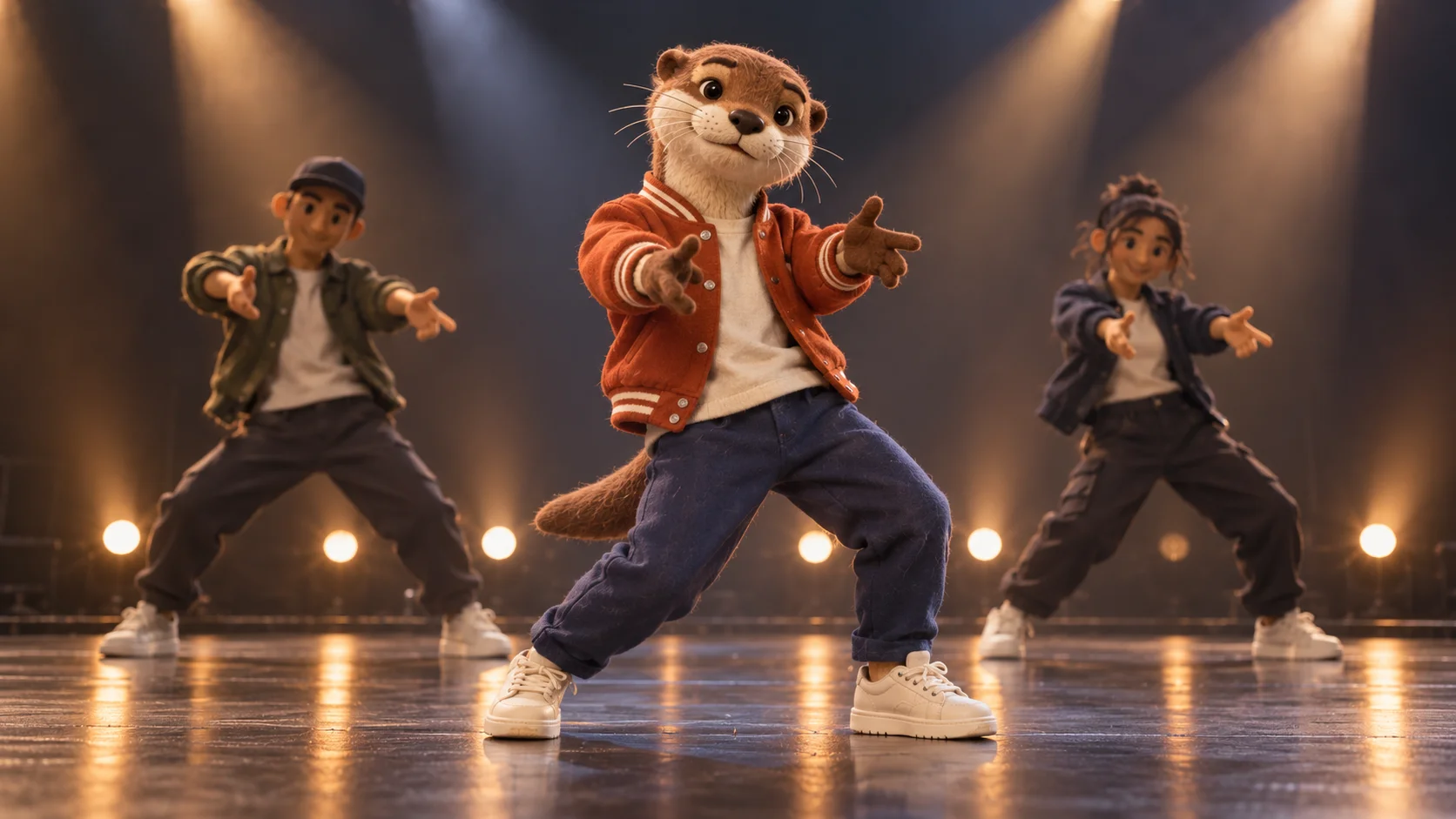
A character sheet can become the starting point for a short stage cameo. Talk Dirty Dance AI brings your chosen subject into the lead role of a prepared concert movement. Our clay otter wears a rust jacket and cream sneakers, keeping a familiar handmade personality in an energetic setting. Choose your own design and let the reference provide the action.
Upload one clear character image. The workflow uses that image for the central lead's appearance and a fixed video for the dance structure. The initial output setting is eight seconds. You can add brief style notes, but you do not need a second image or a recording of the character moving.
Start with the features that make the character recognizable.
How to create your Talk Dirty Dance AI remake
1. Choose the character you want to follow
Use a single design with a recognizable face, body shape and outfit. A clean full-body view works well when the costume is part of the character's identity. Leave room around ears, tail and shoes so the source does not hide important shapes.
2. Simplify the appearance reference
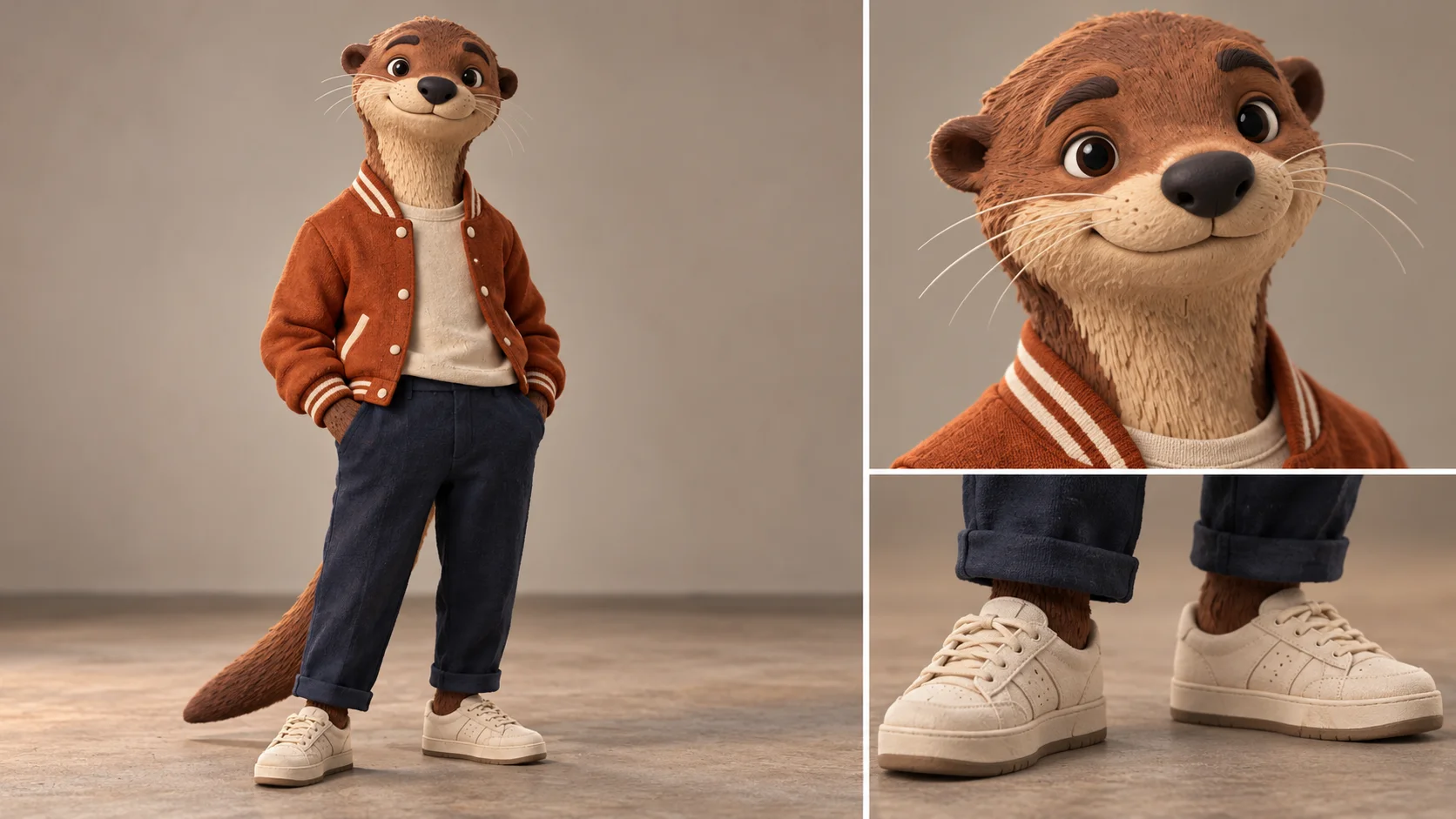
Review the face and clothing at a small size. Our otter uses a rust varsity jacket, navy trousers and light shoes. These large color blocks stay readable more easily than many tiny accessories. Export one clear view rather than uploading a whole presentation board.
3. Check the supplied movement
Play the reference and decide whether the stage action fits your character. Confirm the uploaded image, output settings and current estimate. Keep optional notes focused on the visual treatment. The form already includes the performance reference, so additional action footage is unnecessary.
4. Review the character in motion
Open your completed take in History. Track the muzzle, jacket and shoes through the sequence, then inspect any overlaps with background performers. Choose a version with coherent paws and foot contact. Preview the audio before saving or combining the clip with other work.
Keep the character's defining features readable
Inspect the design, then choose one clear appearance image.
The otter's broad muzzle, pale face area and orange jacket make it recognizable before it moves. A useful source image gives those features enough space to be understood. If the character is mainly identified by a tiny pin or a complicated pattern, consider simplifying the design for the animation reference. The stage performance is short, and the viewer should not need to pause to find out who is dancing.
The preparation board shows a full figure beside face and shoe details. Use that comparison to inspect your artwork, then choose a single image for the upload. Multiple versions in one collage may introduce conflicting poses or costume details. For a three-dimensional craft design, soft even lighting can reveal the shape without making the shadows look like extra facial markings.
Treat material as a direction rather than an exact simulation
Concept artwork explores a handmade character in a concert setting.
Clay, felt and fabric can give a character warmth, but their small textures may change when the model creates movement. Our stage concept carries the otter's tactile appearance into a concert setting. It is a visual idea, not proof that every stitch or clay impression will survive in the result. Give priority to the silhouette and facial features before judging the smallest surface details.
A brief optional note can reinforce the handmade feel and costume colors. Avoid asking for many unrelated materials in the same take. The reference remains responsible for the broad movement and stage arrangement; the source image supplies the lead. If the returned character begins to resemble the background dancers, select a clearer reference with stronger identifying features and reduce competing instructions.
Check paws, shoes and the recovery pose
Check continuity through the whole movement.
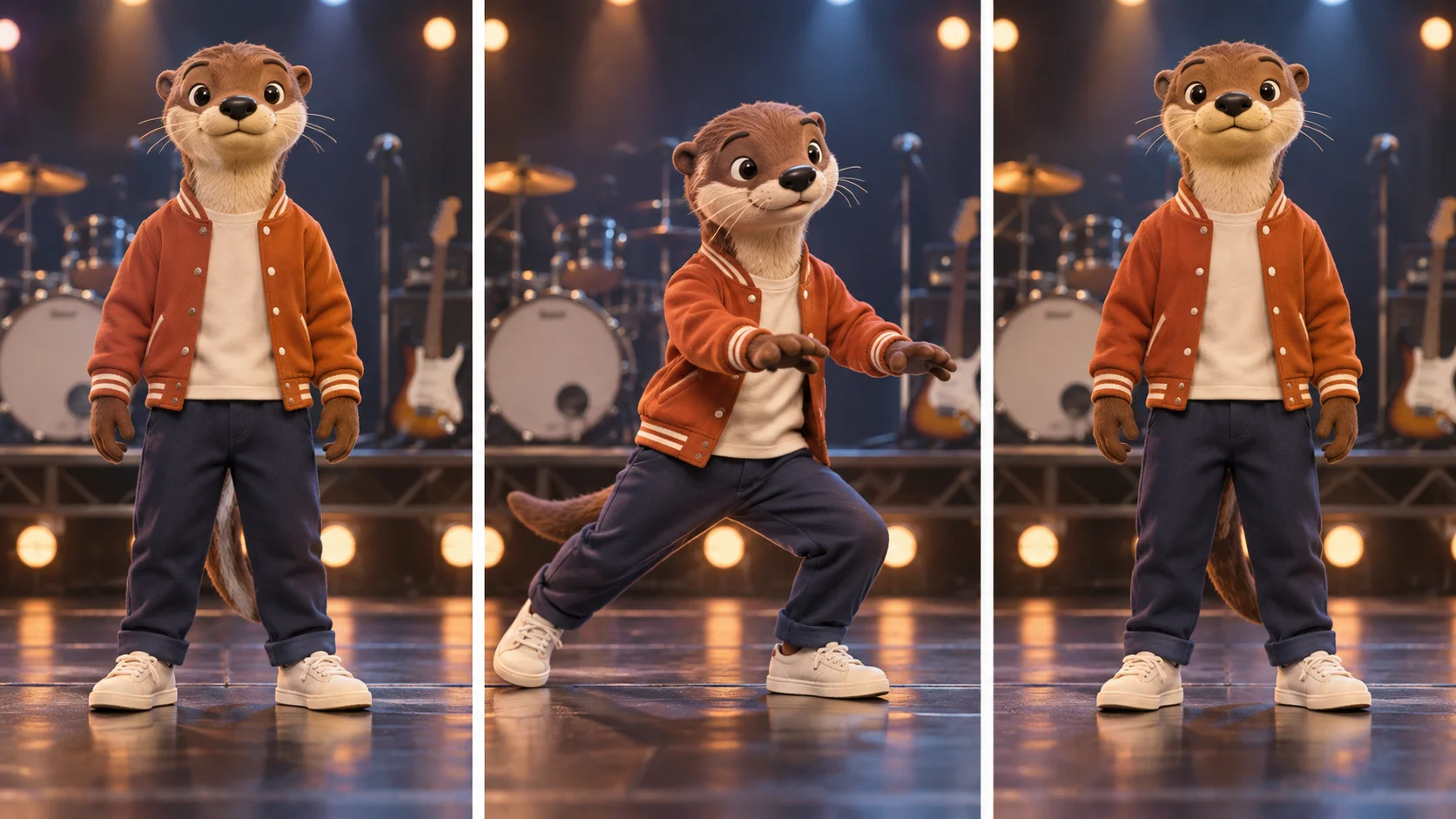
Character animation can look convincing in a strong pose while losing continuity between poses. The motion-review illustration provides three useful checkpoints: a readable start, a bent-knee step and an upright recovery. Watch how the otter's proportions travel between those moments. Pay attention to the tail, jacket opening and shoe shape, which can reveal changes that are less obvious when looking only at the face.
Review at ordinary playback speed and on the screen where you intend to share the clip. A pleasing still image does not replace a coherent sequence. Listen to the returned sound as well; exact songs, voices and timing are not promised. If the video will become part of a character montage, choose a take with a clear beginning and ending so the transition to the next scene feels deliberate.
Input, cost and result questions
Can the lead be a fictional creature?
Yes. Use a clear single character image and inspect how its proportions are interpreted in motion. Exact anatomy and material details can vary.
Does the page animate my drawing exactly?
It uses the drawing as an appearance reference within a prepared performance. It is not a frame-by-frame animation of the original artwork.
Should I upload the design board?
Choose one clean view instead. The board is useful for preparation, but multiple poses or detail panels can make the lead reference ambiguous.
Can I supply a new dance?
This page uses its fixed reference. For a different performance structure, choose a workflow designed for a different motion input.
Is the sound guaranteed to match?
No. Preview the actual returned audio before sharing or adding a specific soundtrack in an editor.
How do I check cost and access?
Read the current task quote and account eligibility in the form. Pricing options and model policy apply; the guide does not promise free generations.